CompilaTube
Making the video was half the problem. The other half was you, every night, dragging files into YouTube, typing titles, picking thumbnails, setting dates. Twenty times over. Not anymore. CompilaTube builds the video and publishes it to your channel by itself — title, thumbnail, description and date included. You close the laptop.
5-30×
faster than the traditional way
3 min
for a 1-hour video
100%
offline · no cloud
YouTube
posted to your channel for you
Connect your channel once. From then on the video goes straight from the app to YouTube — on the day and time you set.
One or many. You pick which channel each video goes to, right before sending. Switching channels is one click.
Public now, unlisted, private, or scheduled public — it uploads private and YouTube publishes it on the date.
Set the date and time and walk away. The app queues one a day, one a week — however you like.
Connect every channel you have and pick where each video goes. Title, description, tags and thumbnail already filled in.
The real problem
Most dark music channel creators lose 2 to 4 hours a day rendering. Almost always because they're using a generic tool that was never built for this workflow.
Long videos (1h+) just won't export
Memory overflows, the export crashes, you lose your progress and start all over from scratch.
Rendering one video at a time
Want 10 versions with the music shuffled? You sit there, export one, wait 30 min, export the next. All night long.
Subscribe button, effects, particles: all by hand
You add every effect manually, video by video. In generic editors, it's endless drag-and-drop.
4 separate tools in your workflow
One to compile, one to split the vocals, one to build the visual effects, one to remove the AI watermark. 4 logins, 4 headaches.
The result: you put out 1 video a day when you could be putting out 10.
The solution
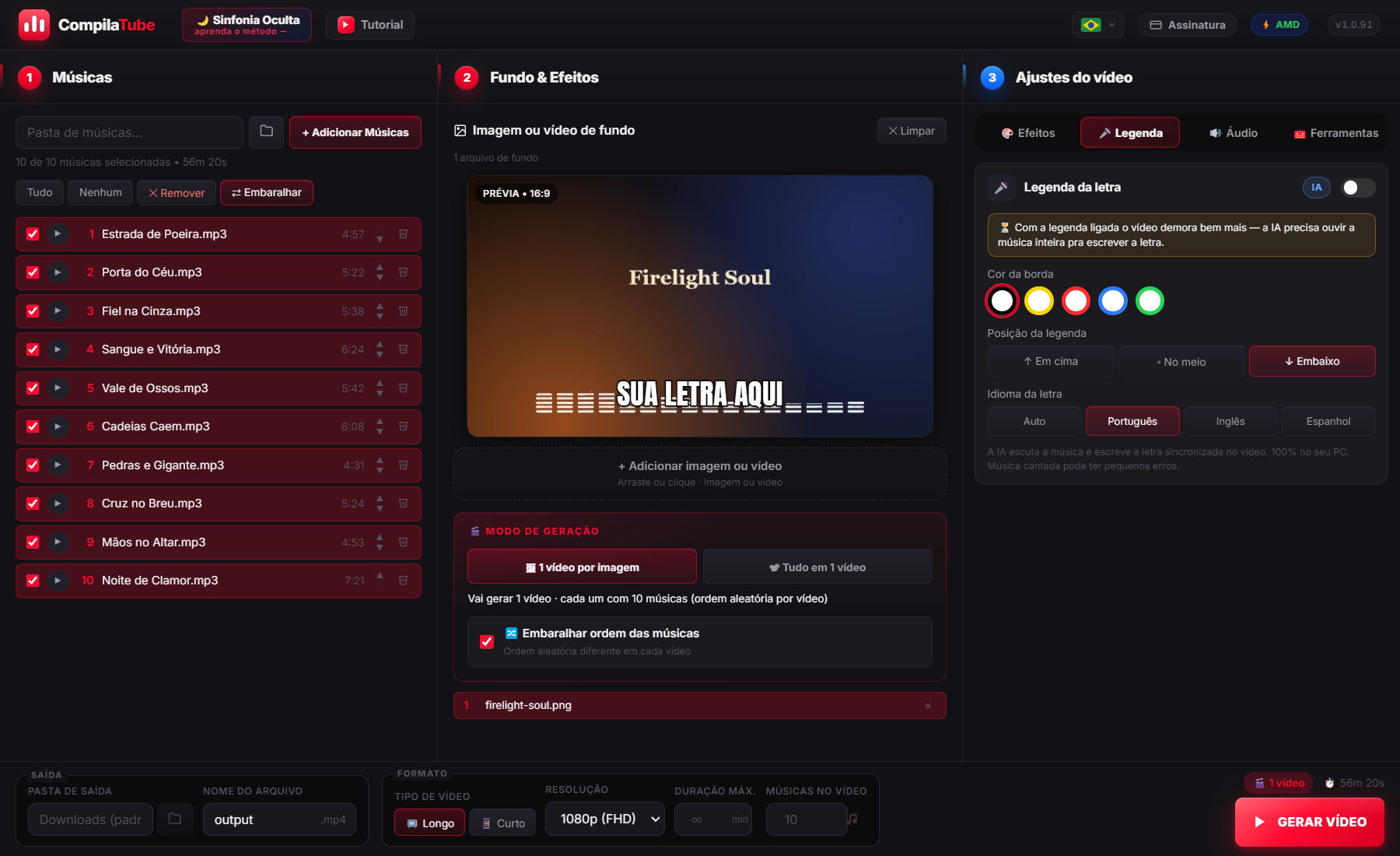
The AI listens to the music and writes the synced lyrics onto the video, word by word. Pick the outline color, the position and the language — Portuguese, English or Spanish. 100% offline, your music never leaves your PC.
17 tracks become a single 1h+ video in under 5 minutes. With a still image it's almost instant — the app doesn't waste time re-processing the video.
13 images × 17 tracks = 13 different videos, each with the songs in a shuffled order — all made at the same time. Leave it running overnight, wake up to everything done.
The app spots your PC's graphics card (NVIDIA, AMD or Intel) and uses it on its own. 5-30× faster than usual.
Split the vocals from the music with AI. Change the pitch and speed with no loss in quality.
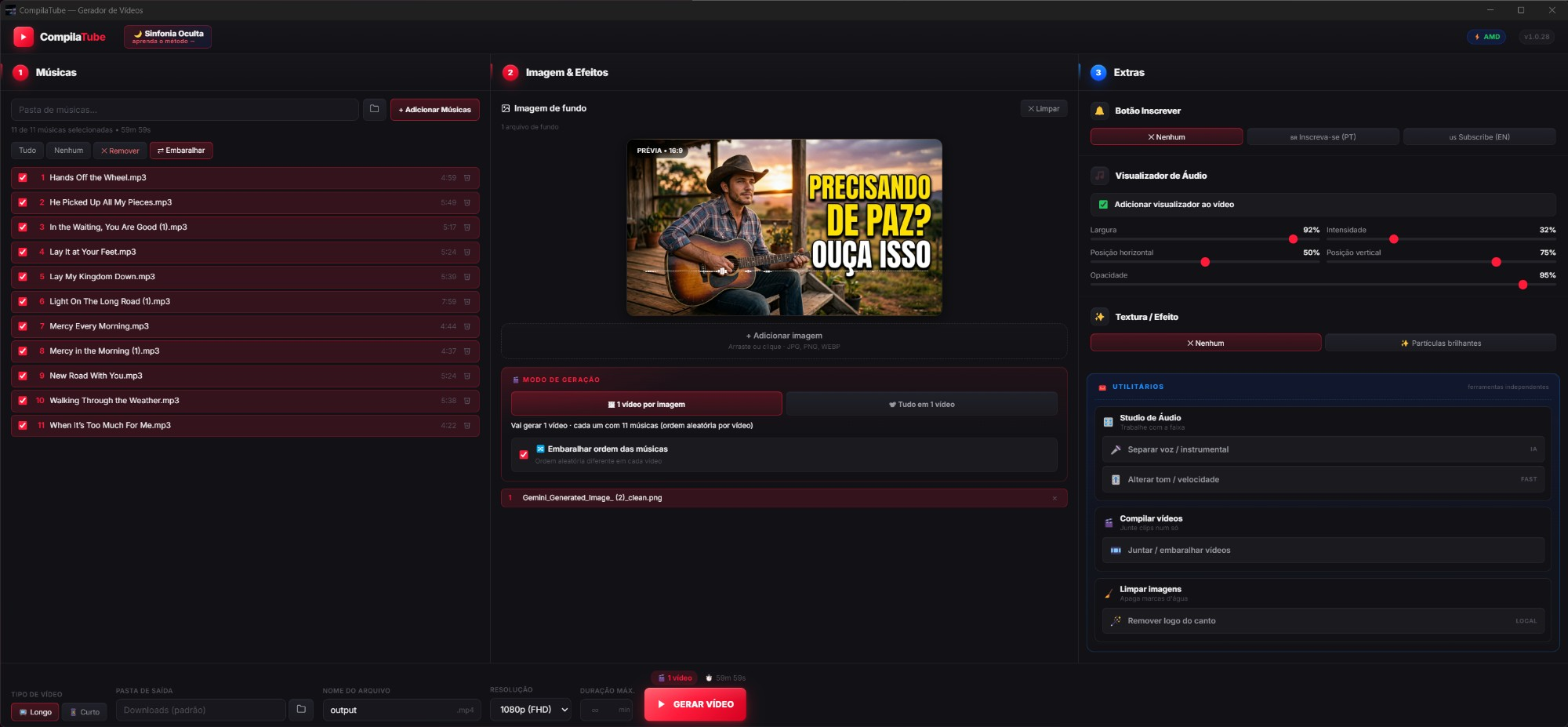
Waves, bars, circle or classic — pick the style and color that fits your channel. It moves to the beat of the music.
Strip the watermark from Nano Banana, Midjourney or any generator — many images at once. All on your PC, nothing uploaded to the internet.
The image gently zooms in and out on its own — your video never looks static and dull. You choose the intensity.
The background can now be a photo or a video — and you can even mix both in the same video.
Add a retro vibe in 1 click (VHS or old film), drop in glowing particles, and add the "subscribe" prompt that pops up on its own.
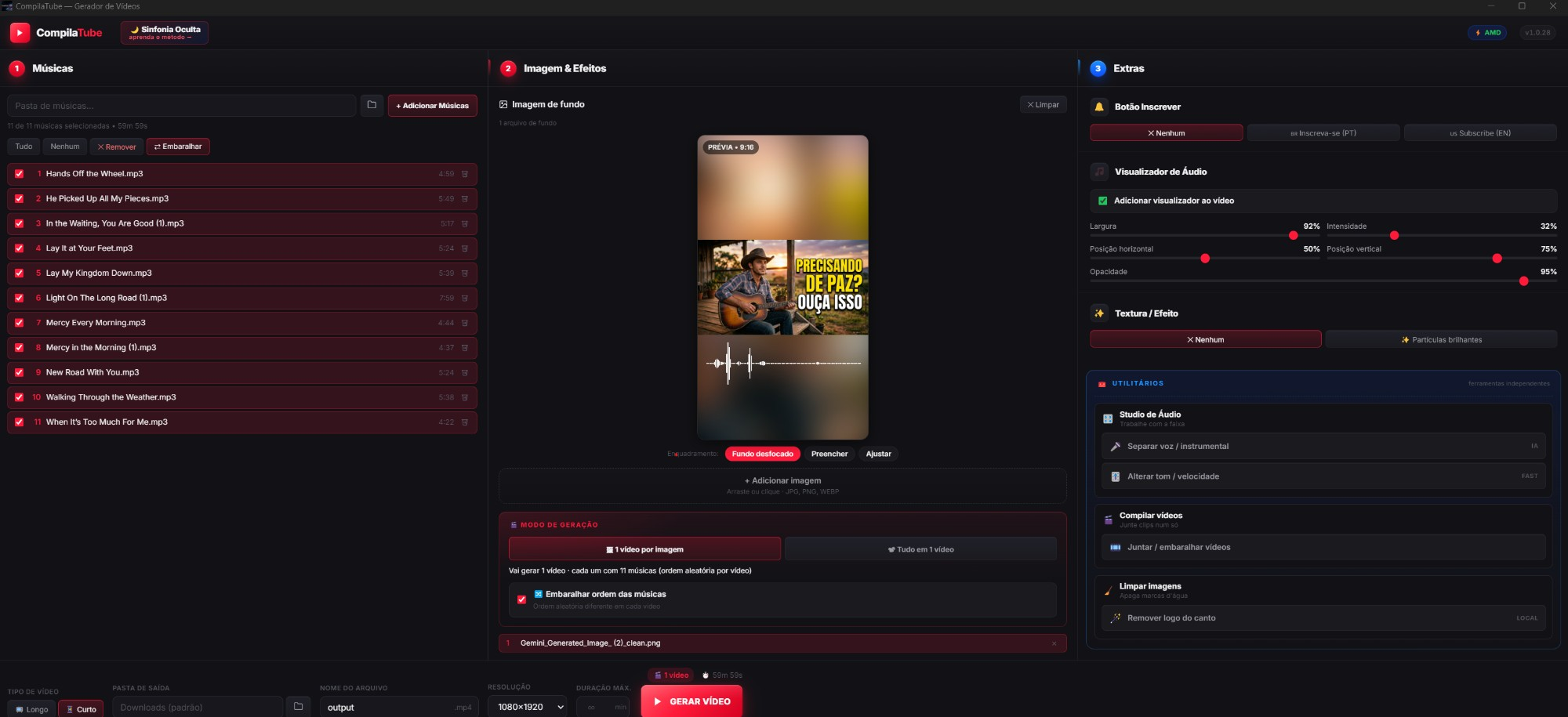
Generates vertical video in the right format for Shorts, Reels and TikTok — with the image fitted automatically.
Instant access
Inside
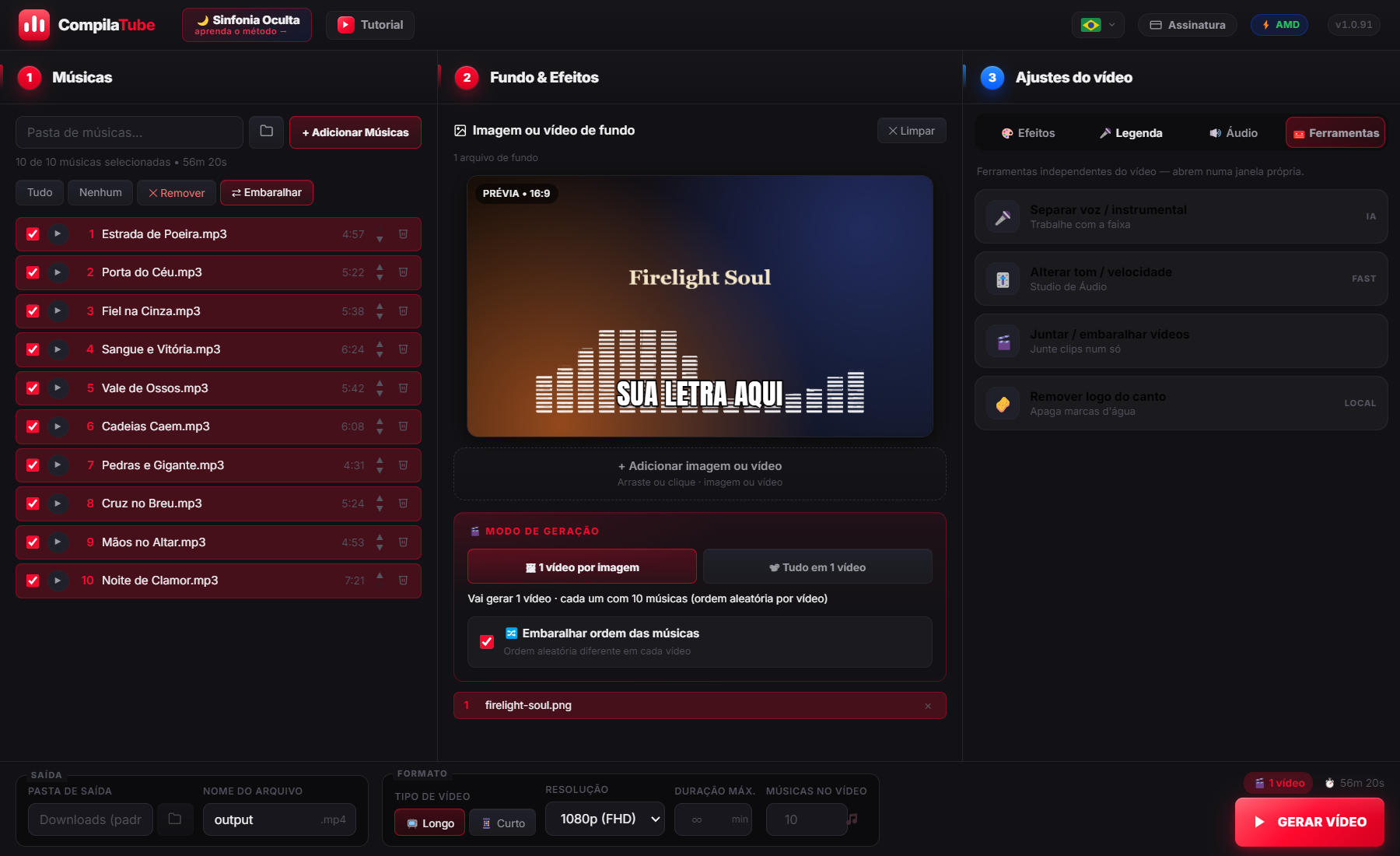
Real screenshots from the new version: 3-panel interface, every effect on a switch, no learning curve. Everything a dark channel needs on a single screen.
🎤 Auto subtitles (AI)
The synced lyrics on the video — color, position and language, your call.
🧰 Tools in one place
Split vocals, change pitch, merge videos and clean up watermarks.
📱 Shorts mode (9:16)
Vertical video ready for Shorts, Reels and TikTok.
How it works
No timeline, no learning curve. You set it up in minutes — the PC does the rest.
Drag in the whole folder — MP3, WAV, FLAC, OGG. Preview it without leaving the app.
An image or a background video. You can even mix both in the same video.
Visualizer, automatic subtitle, zoom and a subscribe prompt — each on its own switch.
Hit Generate. You can close the app — and it makes several videos at once.
Pick the channel, the date and who can watch. The app uploads to YouTube with title, thumbnail and description ready.
Windows 10/11 and Mac · automatic updates
On Windows the button opens the Microsoft Store: one-click install, no Windows warning at all, and automatic updates. Prefer the direct installer? Download the .exe — if Windows shows the SmartScreen warning, click "More info" → "Run anyway" (it's safe). Same app either way.
Who built it
Created by Ramon Roque, creator of the Sinfonía Oculta method — the shortcut behind AI dark music channels pulling in $1,200/month.
The exact software he runs on his own channels. Tuned for every real bottleneck the faceless creator hits: speed, anonymity, automation.
🌙 Discover the Sinfonía Oculta method →10,000+
videos compiled
5-30×
faster
100%
offline
Customer testimonial
From someone who had already given up on two channels because their computer couldn’t keep up.
I’m shocked. Really, really good… And mind you, my laptop is about 12 years old — not even CapCut desktop would run, it kept shutting down on its own. I gave up on two channels in other niches because I couldn’t get any work done, and no money to buy a new one for now.
I was struggling to make my videos. I was afraid CompilaTube wouldn’t even run on my laptop, but I took the chance and I’m loving it. Thank you for this.
Investment
Instant access
US$137 billed every 6 months · save US$25
Full access right now
No commitment · cancel anytime
Card required · US$137 every 6 months (US$23/mo) charged now · Cancel anytime
* YouTube upload: up to 100 videos a day per account, across all your channels.
Every hour you waste rendering is one less video on your channel — and $40-100 less per month.
🚀 Subscribe nowWindows 10/11 · Card required · US$27/month charged now · Cancel anytime
Frequently asked questions
No. Connect your channel once inside the app and it uploads for you — with title, description, tags and thumbnail. You choose whether the video goes out public, unlisted, private, or scheduled for a date. You can connect several channels and pick which one each video goes to.
Yes. Authorization happens on Google's own screen, and the CompilaTube integration has been verified and approved by them. The permission is stored encrypted on YOUR computer — we have no access to your channel. You can disconnect inside the app or from your Google Account at any time. And the app can only upload videos: it does not read comments, see subscribers or delete anything.
Yes. There's a ready installer for both: Windows 10/11 (.exe) and Mac (.dmg — Apple Silicon M1/M2/M3 and Intel). Both update themselves. On Mac, the download button already serves the right build; if yours is Intel (2015-2020), use the "Intel?" link next to the button.
Not to run. Everything is local. The internet is only used to check for updates and to download the vocal-separation AI the first time (just once).
Yes. 720p, 1080p (FHD), 4K (UHD), vertical Shorts (1080×1920) and vertical 720p.
MP3, WAV, FLAC, OGG, M4A, AAC. Import a whole folder in one go. Don't have the tracks yet? You can create your channel's music with AI on NUIVI and drop the MP3 folder here.
Yes — on any modern PC. You need Windows 10 or 11 (64-bit); it won't run on Windows 8.1 or older. Minimum: 8 GB RAM, a GPU from the last 5 years. Recommended: 16 GB + a dedicated GPU (NVIDIA/AMD/Intel) — that's where the speed gains are massive.
No. The interface is just 3 panels. Zero manual timeline editing.
Yes. Direct WhatsApp support for students of the Sinfonía Oculta course.
Yes, it's completely safe. The warning shows up because the app is new and doesn't yet have a paid digital signature (an OV certificate costs ~$300/year — we'll buy one once we hit volume).
💡 Want to skip that warning entirely? Install from the Microsoft Store — a Microsoft-certified build with no Windows alert at all and automatic updates.
To open the .exe anyway:
Other options: right-click the .exe → Properties → check "Unblock" → OK. Or in Edge: "..." next to the download → "Keep anyway".